
Use the Following to download the app from the App or Play Store:

iPhone Link: https://apps.apple.com/us/app/scavenger-quest-hunts/id6740798165
Android Link: https://play.google.com/store/apps/details?id=com.varolo.scavengerquest&pcampaignid=web_share
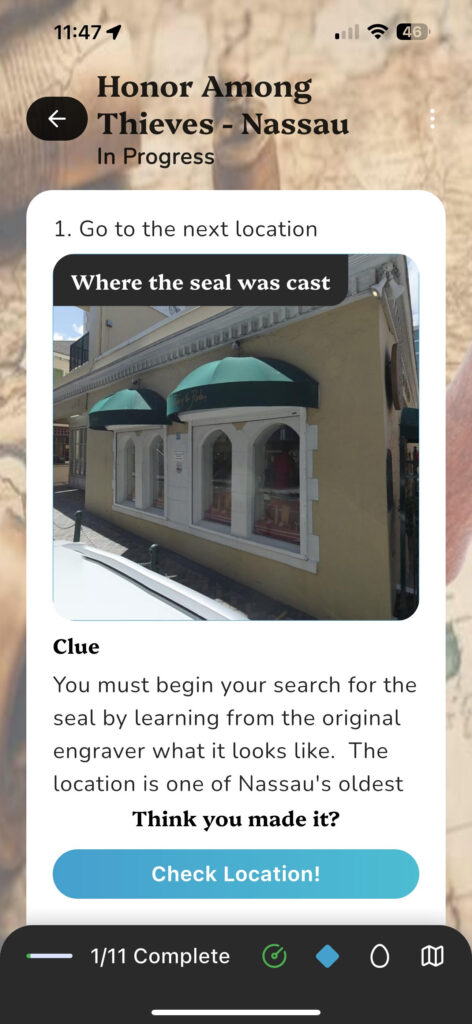
WHILE ON WIFI OR WITH INTERNET ACCESS, BE SURE TO DOWNLOAD THE APP, LOGIN & SIGN THE WAIVER, AND START THE QUEST. DON’T LEAVE WIFI UNTIL YOU GET TO THIS SCREEN:
IMPORTANT TIPS!
1) This is a fun story themed pirate adventure. As such, the app will prompt you to read things which will teach you about some historical sites, history, as well as the narrative that leads the passenger through the quest. Be sure to read what comes up so you can fully enjoy the adventure.
2) You can change difficulty settings at any time during the quest. If one location or activity is too difficult or too easy, click the little dial on the bottom of your screen and pick whatever difficulty you want as you progress through the quest. Easy doesn’t have any riddles and is really very simple. I would suggest starting on medium and then adjusting it based on what you like best. And again, feel free to change throughout the quest anytime.
3) Use the Map and Directions to get from location to location. If no map comes up, it is because you are meant to find the location only with clues and the compass. The compass will also show you how far away from the target location you are at any time.
4) Clues, Hints and Skips are almost always available. Don’t hesitate to use them. Clues are always visible. Hints can be clicked on to see them. And if you just can’t figure something out, feel free to skip it. There is no penalty for any of that. Pictures in clues and hints can be clicked on for full screen.
5) There is an “Easter Egg” in the quest. If you find it, you need to click on the Egg Icon at the bottom of the screen and have the app verify you are there.
6) GPS can be tricky based on the phone people have. Android phones for example take more time to “catch up” to the exact GPS location. So be patient and anytime you feel you are in the right spot and the app doesn’t think you are, click “Check Location” and it should find it. Otherwise you can always skip.